Tangem Wallet for Solana: Setup, Pros and Cons
Some links are affiliate links: if you sign up through them we may earn a commission at no extra cost to you. Not financial advice.
Tangem is a hardware wallet shaped like a bank card. There’s no screen, no cable and no battery: you tap the card on the back of your phone and approve transactions in the Tangem app. It supports Solana, so you can hold and send SOL and Solana tokens with your keys kept on the card’s chip.
How Tangem is different
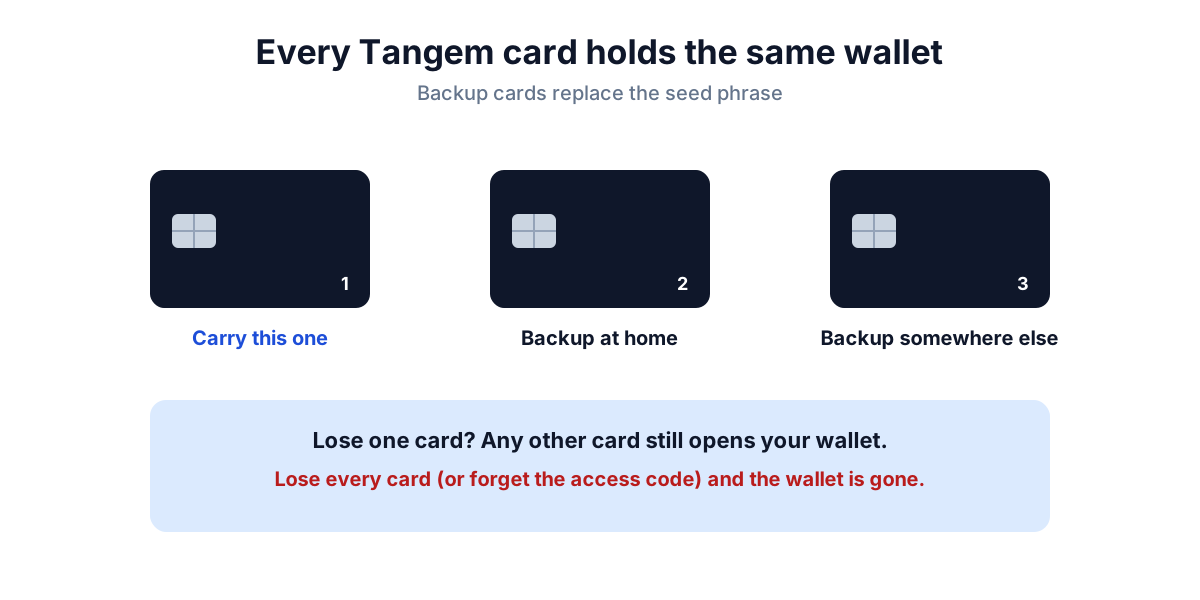
Most hardware wallets give you a 12 or 24-word recovery phrase to write down. Tangem’s default setup is seedless: your wallet is stored on two or three identical cards instead. If you lose one card, the others still open the wallet.
- Chip: Tangem says its chip is certified EAL6+, a high security rating for smart-card chips.
- Access code: you set a code that’s needed every time a card is used, so a stolen card on its own is useless.
- No battery: the card is powered by your phone’s NFC when you tap it.
- Seed phrase optional: if you prefer a classic recovery phrase, Tangem lets advanced users create or import one instead.
Check current models, pack sizes and supported networks on Tangem’s official site before buying.
Setting it up for Solana
- Buy from the official store only. A second-hand card could already be set up by someone else.
- Install the Tangem app from the official App Store or Google Play listing.
- Tap your first card to create the wallet, then tap the backup card(s) when the app asks. Every card holds the same wallet.
- Set an access code you won’t forget. Write it down somewhere separate from the cards.
- In the app, add Solana to your wallet’s networks to show your SOL address.
- Send a small test amount of SOL first. Once it arrives, send the rest.
Store the backup card(s) in a different place from the one you carry, for example at home in a safe spot. Keeping all cards together defeats the point of having backups.
Pros and cons
| Pros | Cons |
|---|---|
| Very simple: tap and approve on your phone | No screen on the device; you check details in the app |
| No seed phrase to steal by default | Lose all cards (or the access code) and the wallet is gone |
| Small, durable, no battery to die | Needs a phone with NFC |
| Cheaper than most screen-based wallets | Fewer desktop and browser-extension integrations than Ledger or Trezor |
Who it suits
Tangem fits people who mostly use crypto on their phone and want something simpler than writing down 24 words. If you use Solana apps from a desktop browser with Phantom or Solflare, a Ledger or Trezor connects more directly.
Not sure you need one at all? Read do you need a hardware wallet?
Safety reminders
- Tangem support will never ask for your access code or a seed phrase.
- Only use the official app. Fake “Tangem” apps exist to steal funds.
- If someone else ever had your cards and code, move your funds to a new wallet. See wallet drained: what to do.